What the platform does
4 modules, one login, on top of the ERP you already run.
Repair follow-up
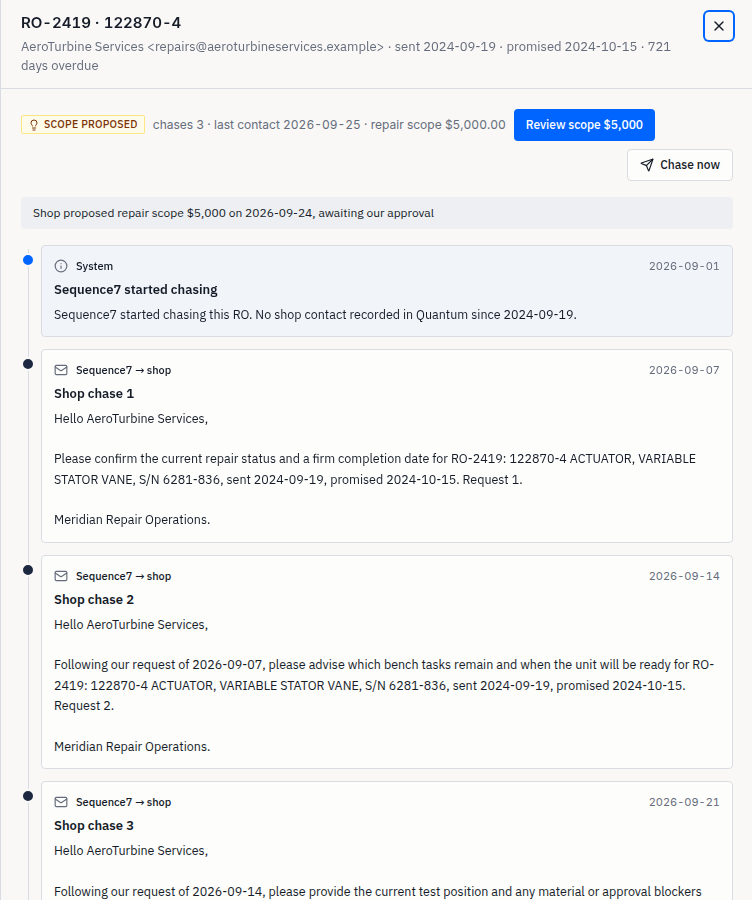
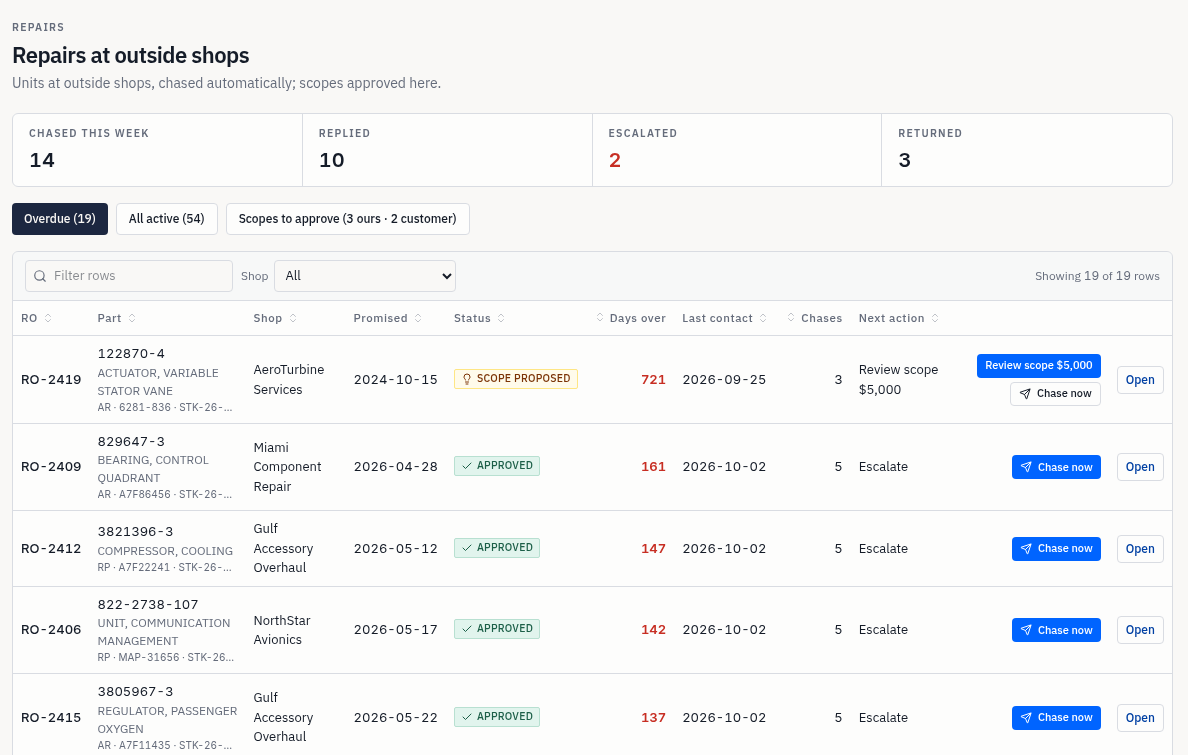
Every unit at an outside shop gets chased by email until it comes back.
- Weekly chase emails with the RO, part number, serial and promised date
- Escalation when a shop stops answering
- Repair scopes approved in one click, with the numbers next to the button
The email thread is the record. Status, chase count and next action all come from it, so nobody has to remember who was asked what.
Customer portal
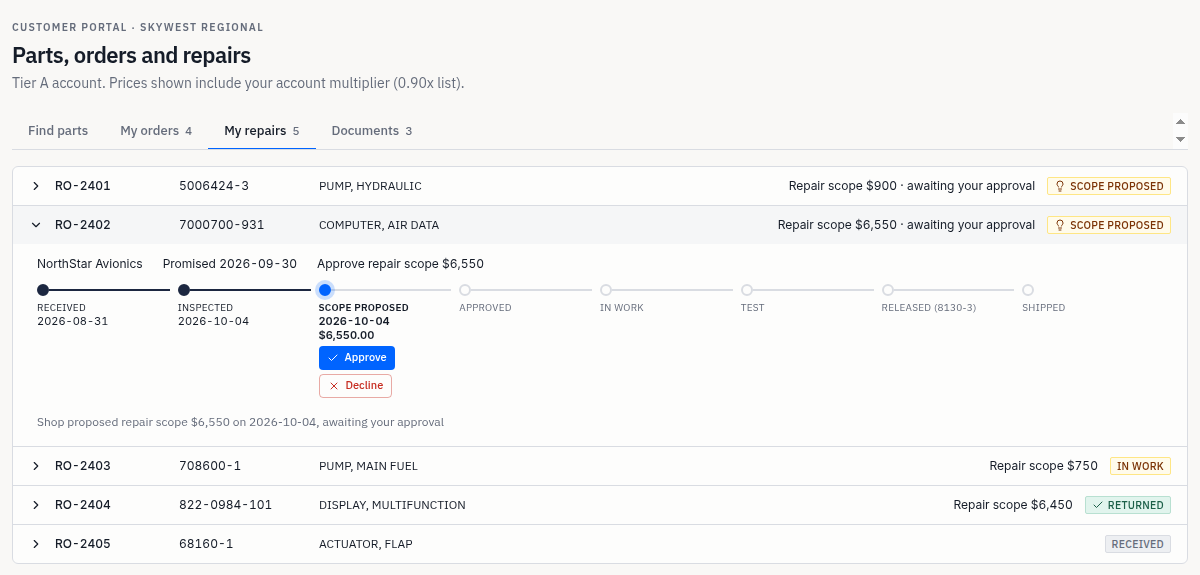
Your customers stop emailing your team for status.
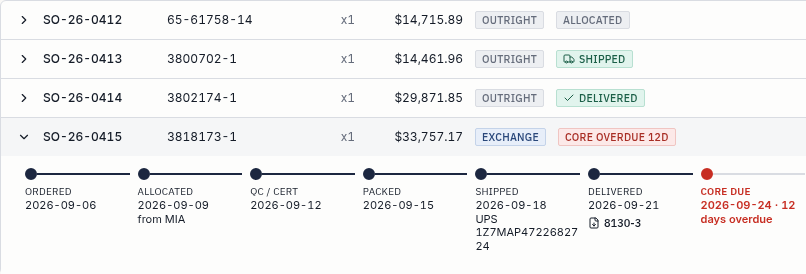
- Orders with tracking and the 8130-3
- Their units at repair, step by step
- Repair scopes approved online, at any hour
Each customer sees only their own account: their price, their orders, their units and their documents.
Consignor reporting
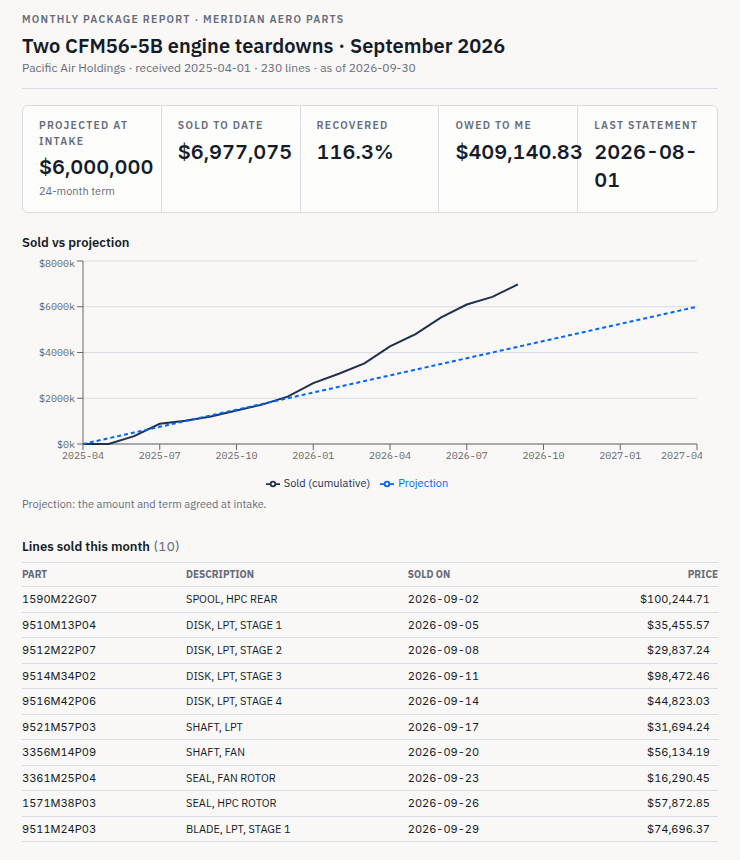
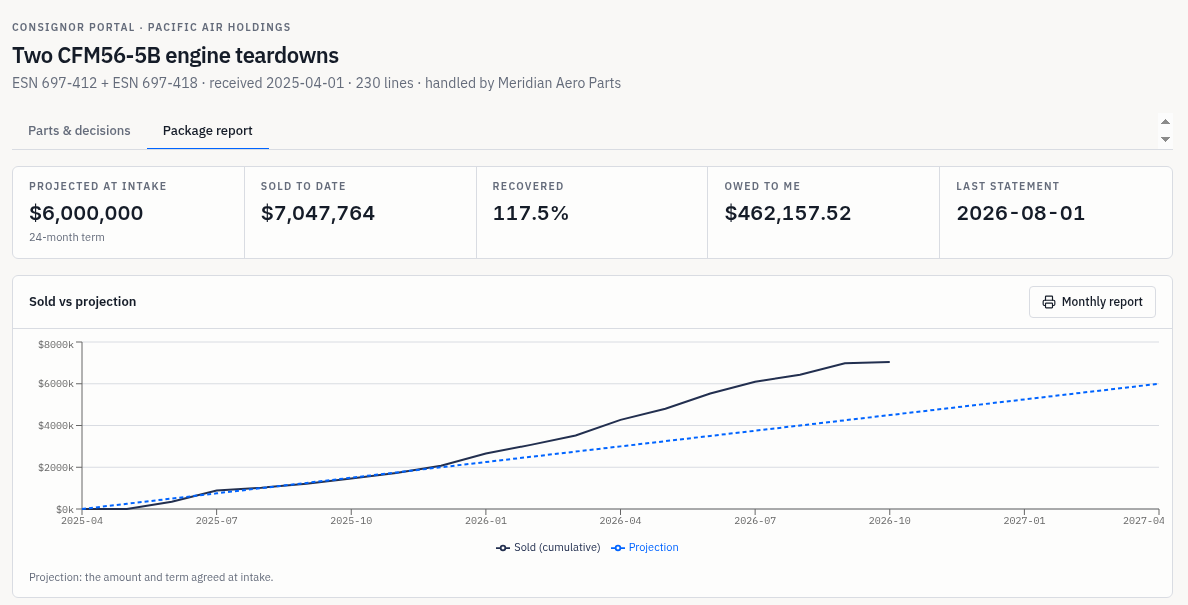
Your consignors see what sold and what they are owed.
- A live view of every line in their package
- Monthly reports and statements, generated from recorded sales
- Decisions on slow lines sent to you as requests
The consignor and your team look at the same numbers, so the monthly call is about what to do next.
Stock decisions
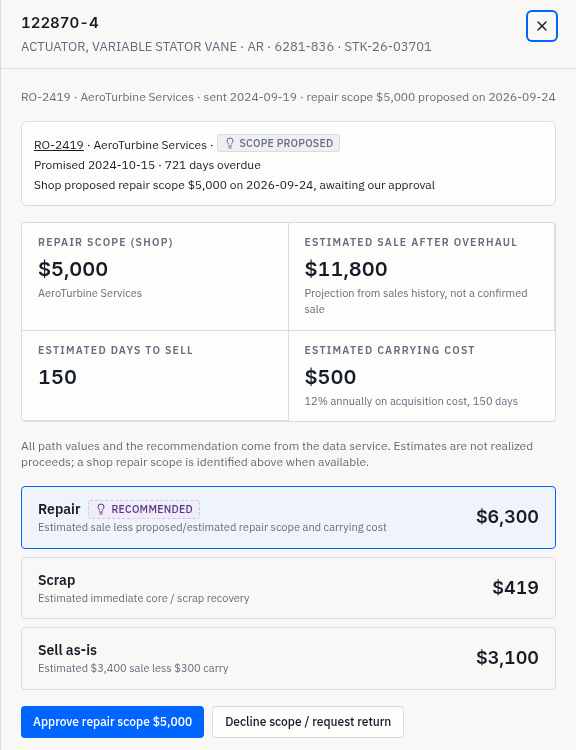
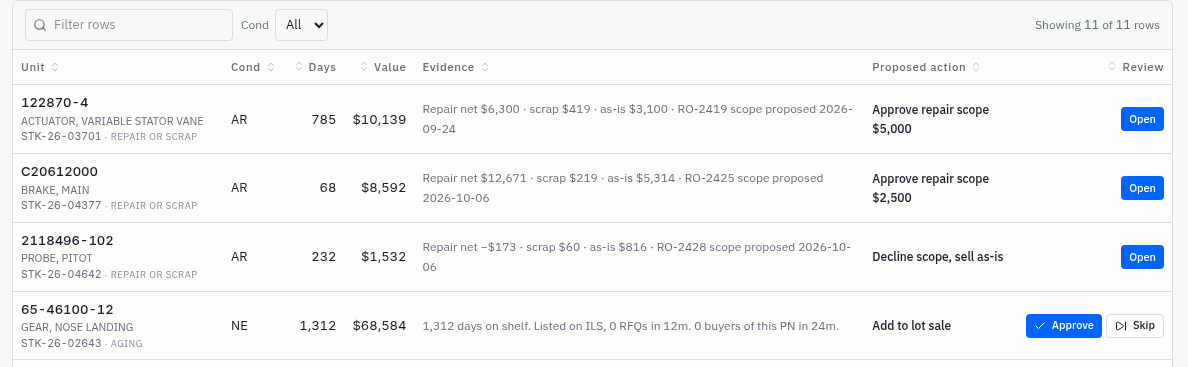
Every slow part comes with a proposal.
- The evidence next to each line: days on shelf, RFQs, buyers, last sale
- Approve or skip, and it is logged
- Repair, sell as-is or scrap, with the numbers for each path
Nothing happens until someone on your team approves it.
It never writes to your ERP.
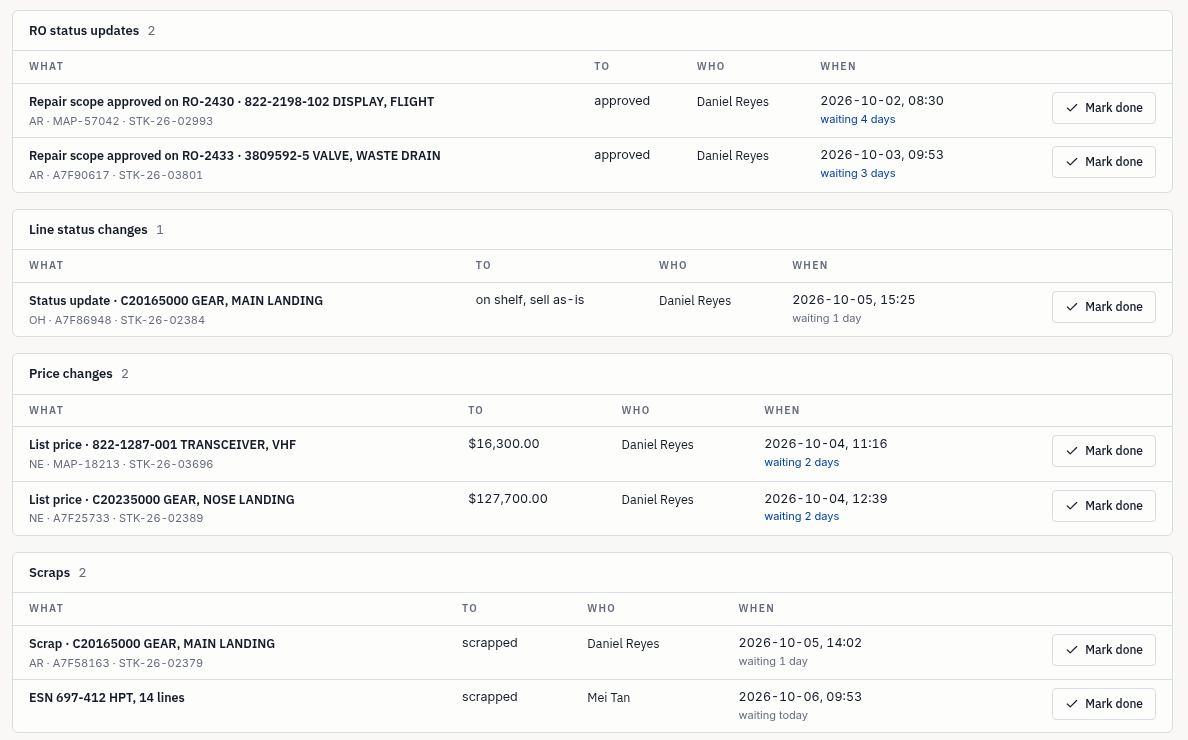
Sequence7 reads from your ERP. Changes your team approves go onto a work list in the platform, grouped the way your ERP is, for your team to enter.
Book a 15-minute demo